The PCB design server for Claude, ChatGPT, Codex, Gemini and Cursor
Add one URL to the AI tool you already use. Ask for a board in one sentence and get it back placed, autorouted and design-rule checked, with Gerber and KiCad files. Nothing to install.
https://api.robodib.com/mcp
Streamable HTTP. MCP protocol 2025-11-25; also accepts 2025-06-18 and 2025-03-26. Sign in with OAuth or a personal access token.
What your agent can do
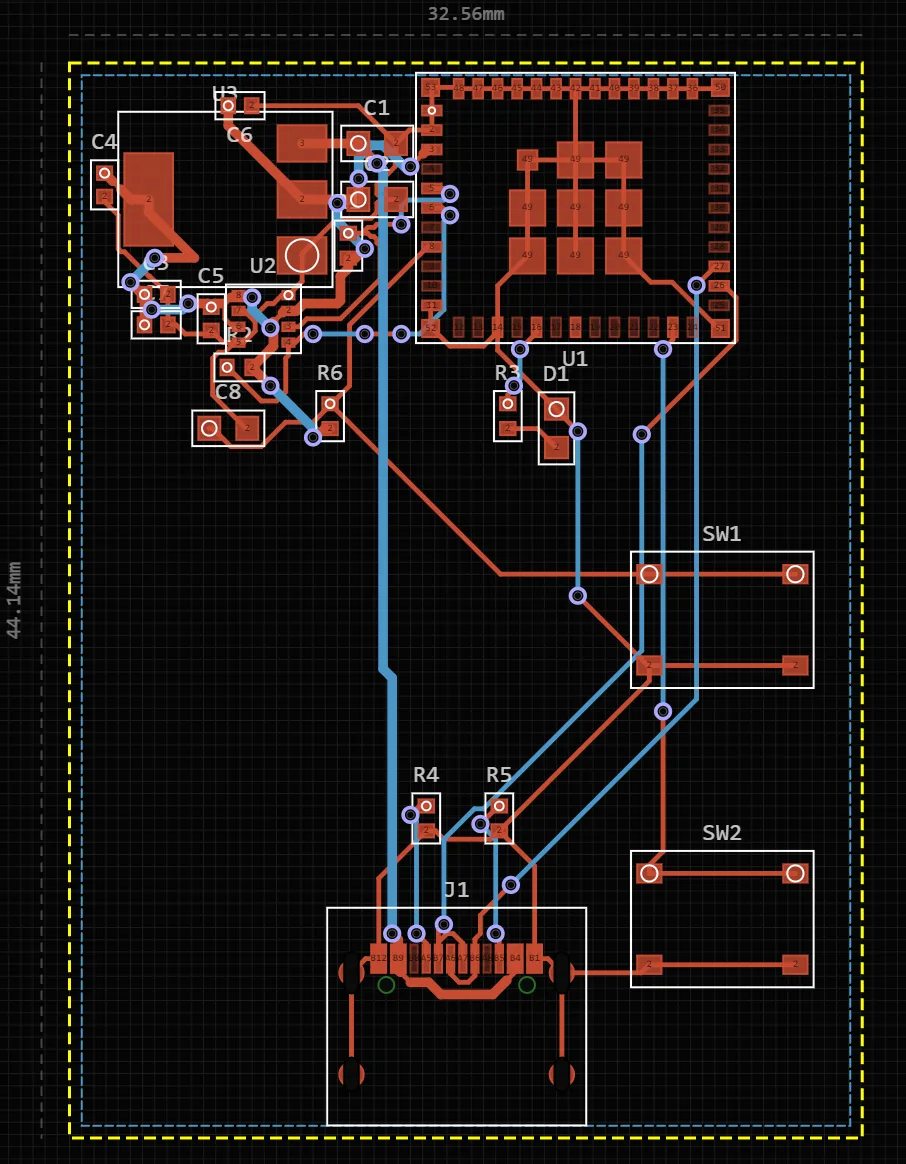
- A whole board from one sentence. design_board takes a description and returns a board with parts, a schematic, placement and routing, checked against the design rules. The agent is not limited to reading files you already have.
- Engines for the measurable work. A deterministic netlist compiler (RULe) wires parts from KiCad pin types and datasheet pin tables, and Sadie, PCBEditor’s own Rust autorouter, routes the copper across layers.
- Any MCP client, any OS. It is a remote server, so Claude Code on Linux, Cursor on Windows and claude.ai in a browser all reach the same tools.
- KiCad both ways. Bring a .kicad_pcb in with import_kicad; take KiCad files back out with export_board.
- Your own parts. The AI uses the parts in your inventory, with their datasheets, symbols, footprints and 3D models.
- A real editor at the end. open_in_editor returns a link to the design in PCBEditor’s browser editor, for the manual work no agent should guess at.
60-second setup per client
Pick your tool. Each block is the shortest working setup; the client pages cover token variants, scopes and troubleshooting.
- Claude →Claude Code, Claude Desktop, claude.ai
- ChatGPT and Codex →Codex CLI, ChatGPT, OpenAPI
- Gemini →Gemini CLI, Gemini API, Google ADK
- Cursor and VS Code →Cursor, VS Code + GitHub Copilot, Windsurf
Claude Code
claude mcp add --transport http pcbeditor https://api.robodib.com/mcpThen run /mcp inside Claude Code and sign in when the browser opens. Token variant and scopes
Claude Desktop and claude.ai
Customize → Connectors → + Add → Add custom connector. Paste the server URL, continue, and sign in to PCBEditor when asked. Step by step
Codex CLI
[mcp_servers.pcbeditor]
url = "https://api.robodib.com/mcp"
bearer_token_env_var = "PCBEDITOR_TOKEN"
Or leave out the token line and run codex mcp login pcbeditor. Codex and ChatGPT setup
ChatGPT
At chatgpt.com/plugins, choose + → Add custom MCP server, enter the server URL and sign in with OAuth. ChatGPT does not send personal access tokens. Details
Gemini CLI
{
  "mcpServers": {
    "pcbeditor": {
      "httpUrl": "https://api.robodib.com/mcp"
    }
  }
}
Start Gemini CLI and run /mcp auth pcbeditor to sign in. Token variant and the Gemini API
Cursor
{
  "mcpServers": {
    "pcbeditor": {
      "url": "https://api.robodib.com/mcp",
      "headers": {
        "Authorization": "Bearer ${env:PCBEDITOR_TOKEN}"
      }
    }
  }
}
Cursor, VS Code and Windsurf setup
VS Code with GitHub Copilot
{
  "servers": {
    "pcbeditor": {
      "type": "http",
      "url": "https://api.robodib.com/mcp"
    }
  }
}
VS Code runs the MCP sign-in in your browser on first use. Token variant
The 16 tools
Your AI tool sees these names and descriptions and decides when to call them. You talk to it in plain language; you do not call tools yourself.
| Tool | Group | What it does |
|---|---|---|
| design_ | Design | Turns a plain-language description into a complete board: parts, schematic, placement, autorouting and a design-rule check. Runs as an async job. |
| get_ | Design | Status, progress and result of a design job. Long-polls, so the agent waits without busy-looping. |
| answer_ | Design | Replies when a design pauses on a question, for example which part to use when the description leaves it open. |
| edit_ | Design | Edits an existing design from a natural-language instruction. |
| route_ | Design | Autoroutes the board with Sadie, PCBEditor's own router. |
| review_ | Check and export | AI design review of a board: what to fix and what to check. |
| run_ | Check and export | Design-rule check results. |
| export_ | Check and export | Gerber, drill, BOM, CPL, KiCad, STEP, IPC-2581, ODB++ or PDF, returned as a time-limited download link. |
| get_ | Designs | Board summary: parts, nets and stats. |
| list_ | Designs | Lists the designs in your account. |
| import_ | Designs | Uploads a .kicad_pcb file, so you can route, check, edit and export it in PCBEditor. |
| open_ | Designs | A URL that opens the design in the browser editor for manual work. |
| search_ | Parts | Searches KiCad-library symbols and footprints, with pin maps. |
| get_ | Parts | Verified pin map and package for a part number. |
| list_ | Parts | Lists the parts in your inventory. |
| add_ | Parts | Adds a part to your inventory, which the AI then uses in later designs. |
How a design run works
- You describe the board. The agent calls design_board and gets a job back.
- It follows the job with get_job, which long-polls, so progress arrives without a busy loop.
- If the description leaves a real decision open, the job pauses with a question. The agent asks you, or answers from context, with answer_question.
- When the job finishes, get_board summarises the parts, nets and stats; run_drc and review_board report what to fix.
- edit_board and route_board change and reroute the design; export_board returns a time-limited download link for the files you ask for; open_in_editor gives you the browser link.
The step-by-step guide walks through a whole run with the responses a real session returned, from the first prompt to Gerbers.
Sign-in and security
- Login required. Every call runs as a signed-in PCBEditor user, on that user’s designs and inventory. A free account is enough.
- OAuth 2.1 with PKCE and dynamic client registration. Clients that support MCP OAuth register themselves and open a PCBEditor consent page in your browser. You approve the access there; the client never sees your password.
- Personal access tokens. For clients without MCP OAuth, or for scripts, create a token at pcbeditor.com/profile/ai-tools and send it as
Authorization: Bearer pcbe_…. Tokens are hashed at rest, revocable at any time, and rate-limited. - Keep tokens out of files you share. Every snippet on these pages reads the token from an environment variable (PCBEDITOR_TOKEN) instead of pasting it into a config file.
Example prompts
Paste one into any connected client.
- Design a 4-layer ESP32-S3 board with USB-C and a LiPo charger.
- Import ./hardware/sensor.kicad_pcb into PCBEditor, autoroute it and tell me what the design-rule check finds.
- On my last design, move the USB-C connector to the left edge and reroute.
- Find the pin map for the MCP73831 and add it to my inventory.
- Export Gerbers, drill, BOM and CPL for my latest board.
The same tools over OpenAPI, REST and A2A
Agents that do not speak MCP reach the same 16 tools with the same sign-in.
| Protocol | URL | Use it for |
|---|---|---|
| MCP | https://api.robodib.com/mcp | Claude, ChatGPT, Codex, Gemini CLI, Cursor, VS Code, Windsurf |
| OpenAPI 3.1 | https://api.robodib.com/agent-api/openapi.json | Gemini function calling, Google ADK, OpenAI function calling, any HTTP agent framework |
| REST | POST https://api.robodib.com/agent-api/v1/tools/{name} | Scripts and CI jobs; one call per tool |
| A2A agent card | https://api.robodib.com/.well-known/agent-card.json | Agent2Agent orchestrators that discover agents by card |
Common questions
- What is the PCBEditor MCP server?
- A remote Model Context Protocol server at https://api.robodib.com/mcp. It gives an AI tool such as Claude, ChatGPT, Codex, Gemini CLI or Cursor the tools to design a board from a description, edit it, autoroute it, run a design-rule check and a design review, and export fab files, all in your PCBEditor account.
- Which AI tools can use it?
- Any MCP client that can connect to a remote Streamable HTTP server: Claude Code, Claude Desktop and claude.ai, ChatGPT, the Codex CLI, Gemini CLI, Cursor, VS Code with GitHub Copilot and Windsurf among them. Agents that do not speak MCP can call the same tools through the OpenAPI spec or the A2A agent card.
- Do I need to install anything?
- No. The server runs at api.robodib.com. You add its URL to your AI tool, and the design work, routing and checks run on PCBEditor's servers. It works the same on Windows, macOS, Linux and ChromeOS.
- Do I need an account?
- Yes, a free PCBEditor account. Your designs, jobs and inventory belong to that account, and every design opens in the browser editor when you sign in.
- How does sign-in work?
- Clients that support MCP OAuth (OAuth 2.1 with PKCE and dynamic client registration) only need the URL: the first time they connect, a PCBEditor consent page opens in your browser. Other clients send a personal access token, created in your profile at pcbeditor.com/profile/ai-tools, as an Authorization: Bearer header. Tokens start with pcbe_, are stored hashed, can be revoked at any time, and are rate-limited.
- What happens when I ask for a board?
- The agent calls design_board with your description and gets a job back. It follows the job with get_job, which long-polls for progress. If the design needs a decision, the job pauses with a question and the agent replies with answer_question. When it finishes, the agent can read the summary with get_board, check it with run_drc and review_board, export files with export_board, and give you a link from open_in_editor.
- Is it the same as a KiCad MCP server?
- No. Community KiCad MCP servers drive a KiCad install on your own machine and work on project files you already have. PCBEditor's server generates and autoroutes a complete board from a description, and it reads and writes KiCad files, so the two can be used together.
- Can I bring my own KiCad board?
- Yes. import_kicad uploads a .kicad_pcb file. You can then route it with Sadie, run the design-rule check, edit it by instruction and export it, including back to KiCad.
- Does it use my own parts?
- Yes. Parts in your PCBEditor inventory, with their datasheets, KiCad symbol and footprint files and 3D models, are used by the design pipeline without you naming them. list_inventory and add_inventory_part manage the inventory from your AI tool.
- Is a generated board ready to order?
- Treat it as a draft for review, as you would a board from a colleague. Run run_drc and review_board, open it in the editor and check the parts and connections against your requirements before you send files to a fab.
The server needs a free PCBEditor account. Clients that support MCP sign-in open a consent page in your browser; for the rest, create a personal access token.
Already use KiCad with an AI agent?
Community KiCad MCP servers drive KiCad on your own machine; this server designs and routes whole boards and hands KiCad files back. See how the two compare, or read the wider map of AI options for KiCad. To weigh every option, including Altium and Flux, see MCP servers for PCB design compared.