How to make a PCB: from circuit idea to a board in your hand
Making a printed circuit board takes ten steps: write down the circuit, draw it, check it, give every part a footprint, lay out the board, route it, check it again, export the files, order, and assemble. Each step below is shown on a real board generated in PCBEditor. The mistakes are left in, because seeing a mistake once is the fastest way to stop making it.
Last reviewed
Short answer
To make a PCB, draw the circuit as a schematic and give each part a footprint (its pad layout). Then place the parts on a board outline, connect them with copper traces and run a design-rule check. Export the Gerber and drill files, check them in a viewer, and upload the zip to a PCB manufacturer, which makes the bare boards in a few days. Then solder the parts on, or order assembly with a parts list and a pick-and-place file. All of the design steps can be done free in a browser.
1. Write down what the board must do
Before drawing anything, write one paragraph: what the board does, what powers it (USB, a battery, a 12 V adapter) and how much current it draws, the main parts by part number, the connectors, and the size it must fit. Every number you leave out gets decided for you later, by you or by a tool, often badly. This paragraph is also exactly what an AI PCB tool needs as a prompt.
2. Draw the schematic
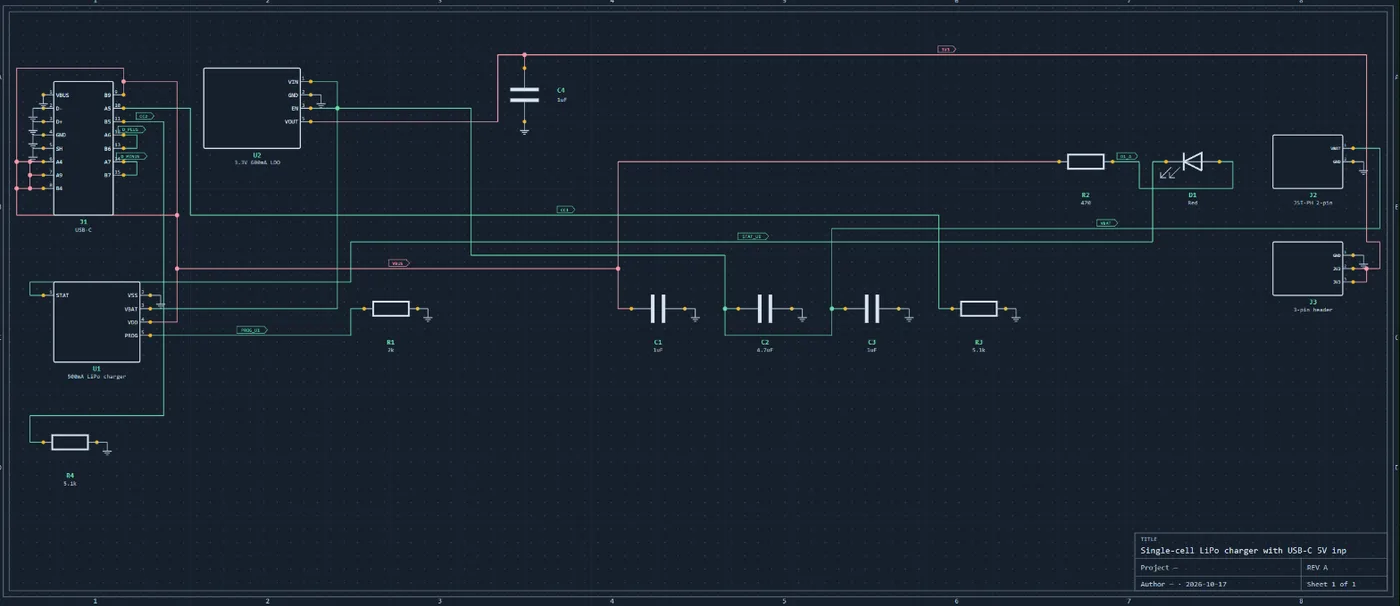
The schematic is the circuit as a diagram: every part as a symbol, every connection as a wire or a shared net name. Draw it in a circuit diagram maker or an EDA tool, or describe it and let the AI draw a first version. If the symbols are new to you, the schematic symbols chart covers the common ones.
3. Check it against the datasheets
A schematic can be tidy and still wrong. Before any layout, check the parts that decide whether the board works:
- Power from the connector to every chip, and every supply against every part’s absolute maximum rating.
- Reset, boot and enable pins, each with the pull-up or pull-down and capacitor the datasheet asks for.
- Special-function pins (I²C, SPI, UART, USB, ADC, crystal, programming header) on pins that have that hardware.
- Decoupling capacitors at the values the datasheet gives, one per supply pin.
This is where most mistakes hide. In our six-board test, four boards passed every automated check with a schematic mistake still in them: a reset button on a spare GPIO, an LED that could never light. More in how to review a PCB with AI.
4. Give every part a footprint
A footprint is the pattern of copper pads the part is soldered to, plus its outline and courtyard (the keep-clear area around it). It must match the exact package you will buy: a resistor in 0603 and one in 0805 are the same symbol on two different footprints. Most parts have one in the KiCad libraries. For the rest, build one from the datasheet’s land pattern with a footprint generator.
Pin 1 on the symbol must be pad 1 on the footprint
5. Set the outline, layers and rules
Draw the board outline, choose the layer count (two is enough for most boards) and enter the design rules your manufacturer can build: minimum trace width and spacing, minimum drill and via size, copper-to-edge distance. Then size the traces that carry real current; the trace width calculator gives the width for a current and a temperature rise.
6. Place the parts
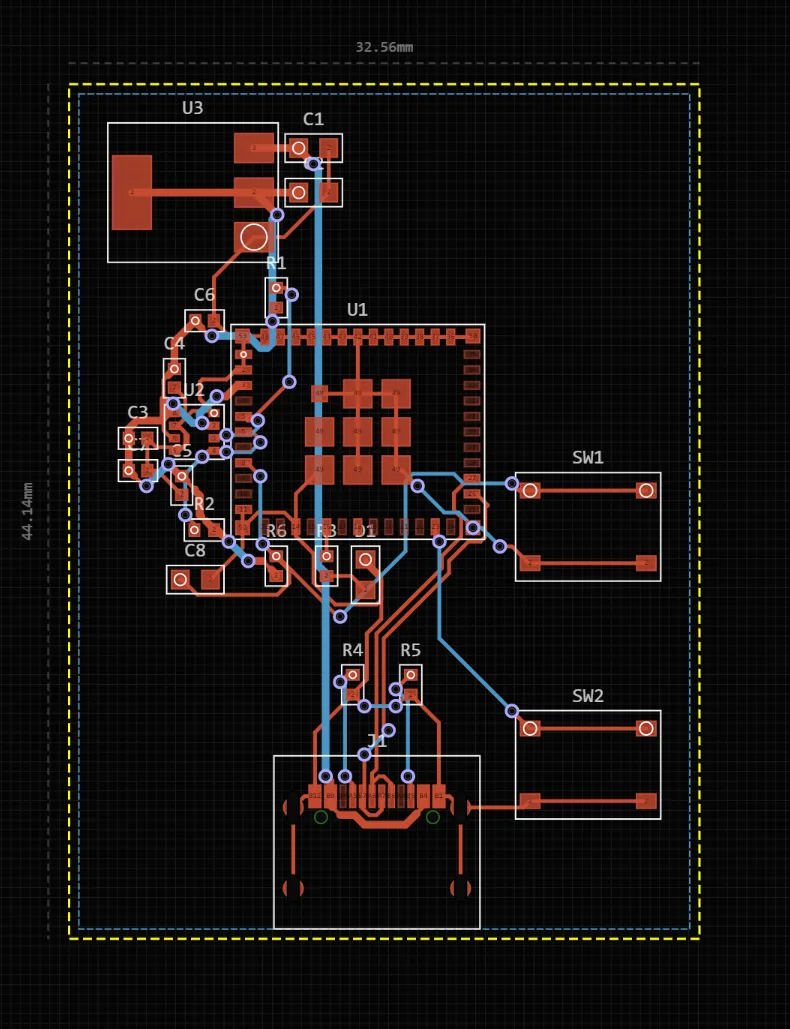
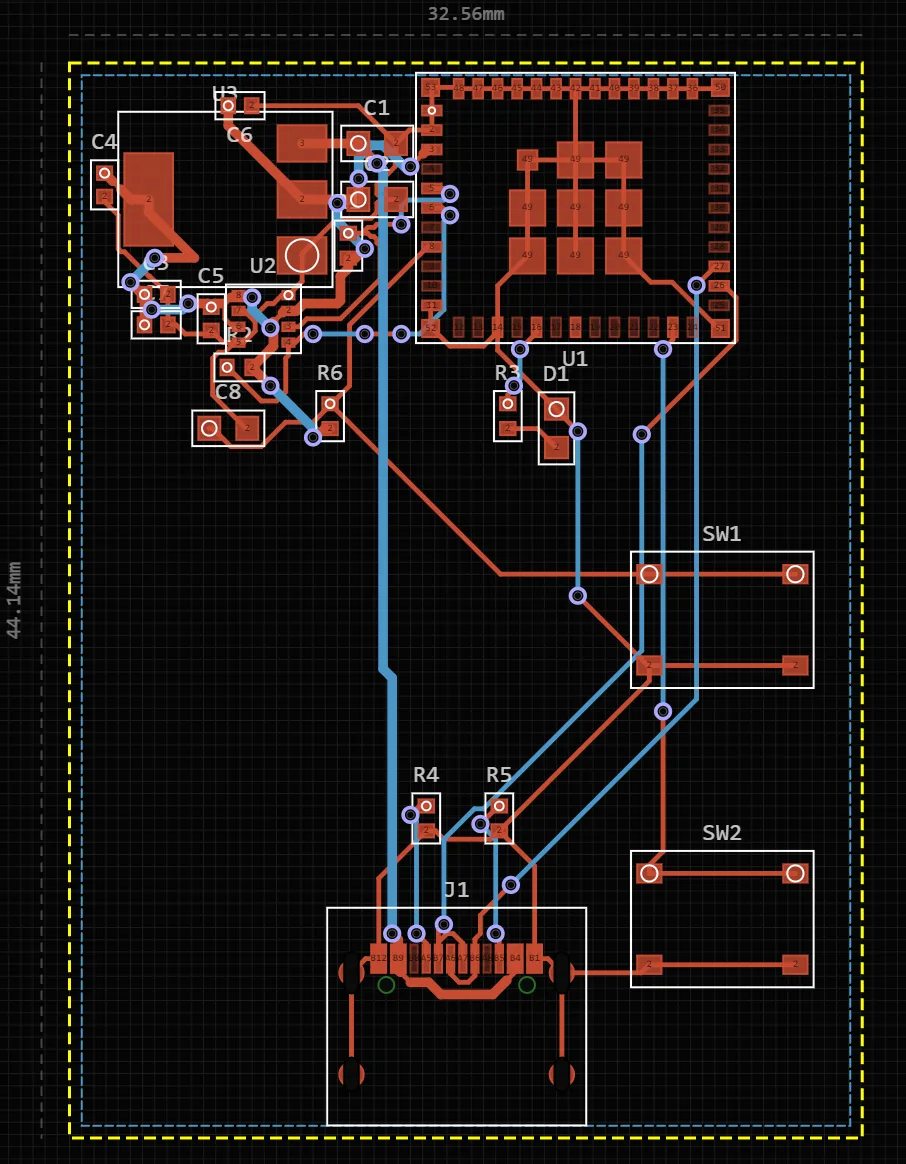
Placement decides most of how a board performs. Put connectors on the edges, facing out. Put decoupling capacitors next to the pins they serve, and keep a radio module’s antenna at the board edge with no copper under it. Then place the rest to keep the important connections short. The ESP32 board below passed every rule check in its first layout and still had its antenna over a ground pour. A review caught it, and one move fixed it.
7. Route the traces
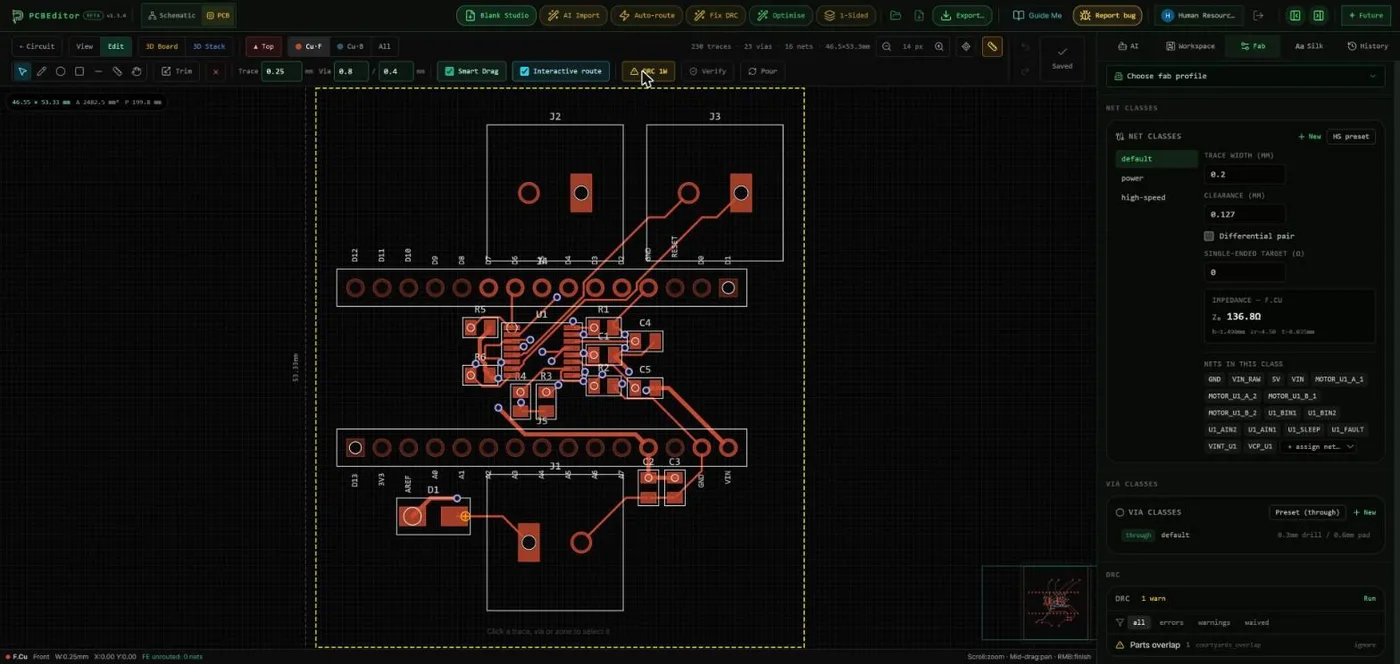
Routing turns each connection into copper. Route power first and wide, then the sensitive signals (crystal, USB pair, analog inputs) short and direct, then everything else. Fill the spare area with a ground pour. An autorouter does the bulk well once placement is good. Check what it did with critical signals, though.
8. Run the design-rule check and a review
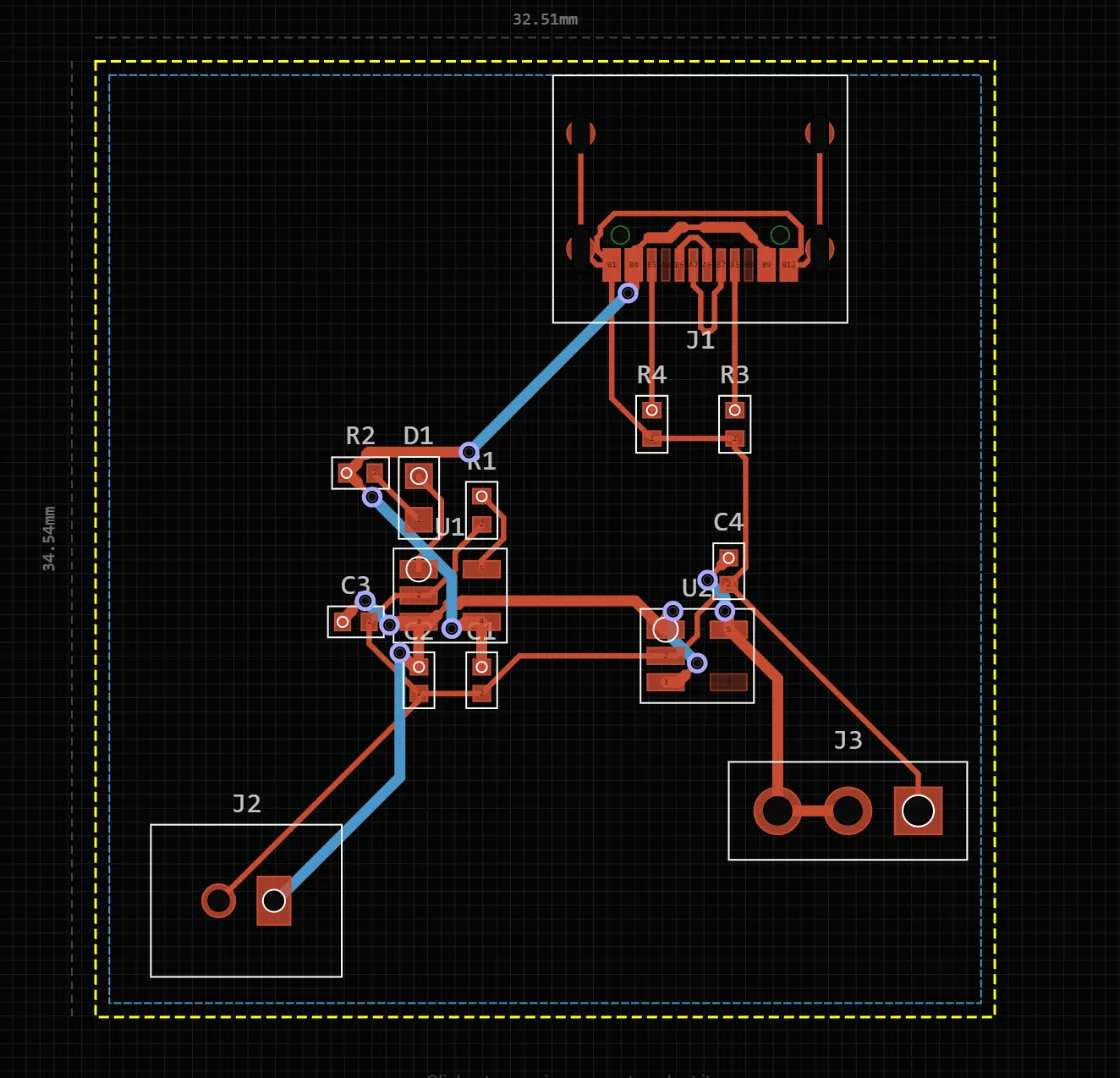
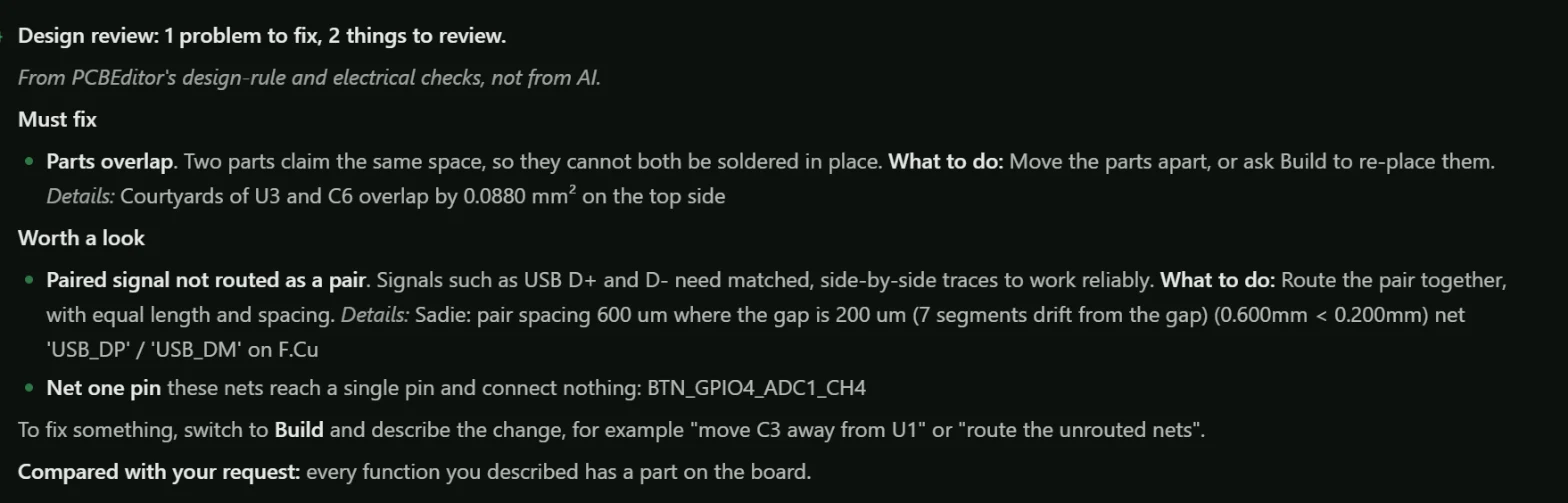
The design-rule check (DRC) compares the copper against your manufacturer’s limits: clearances, widths, drills, unrouted connections, overlapping parts. Fix every error. Then review what DRC cannot see: the circuit, the connector orientation, the antenna keep-out. Review my design runs the rule and electrical checks together and explains each finding.
9. Export and check the Gerbers
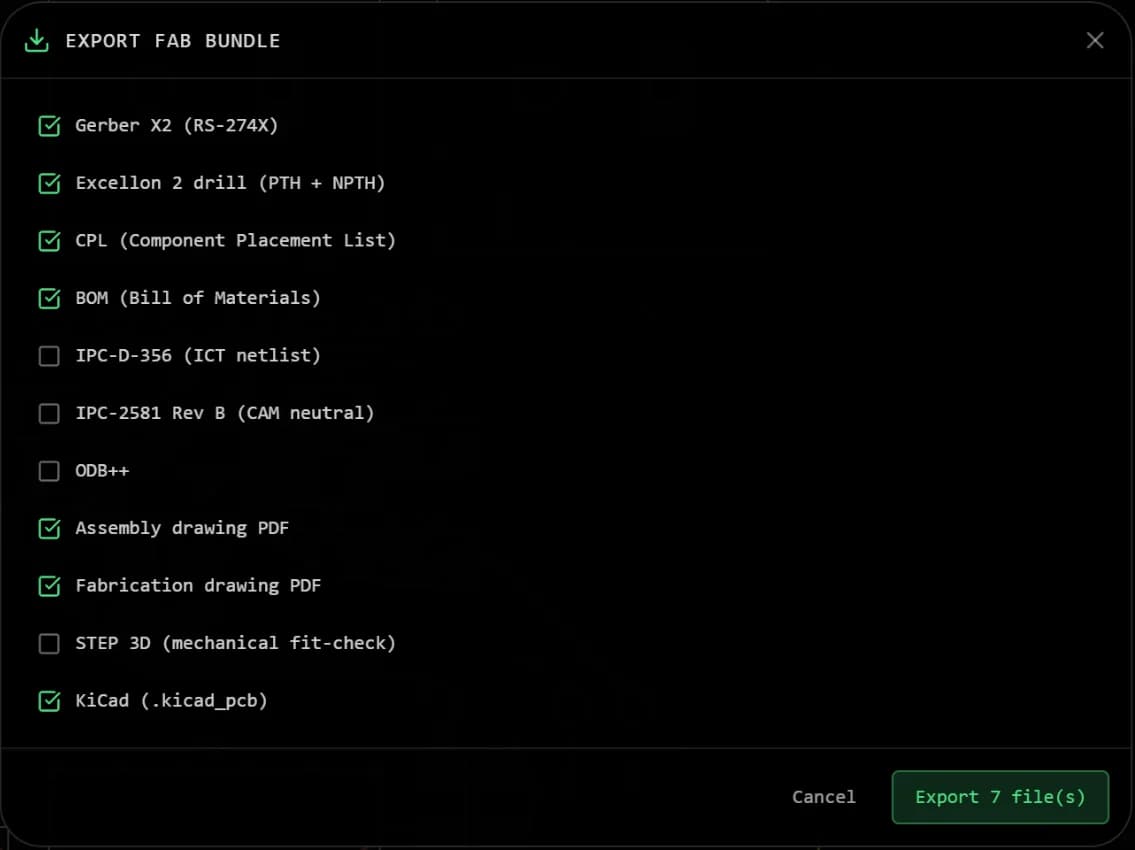
Export the Gerber files (one per layer) and the drill files, usually as one zip. If you want the boards assembled, also export the BOM and the pick-and-place file. Before uploading, open the zip in a Gerber viewer and look at each layer. It is the file the fab will build from, and the place where a missing outline or holes off the pads show up. The full list is in how to check Gerber files before you order.
10. Order, assemble and power up
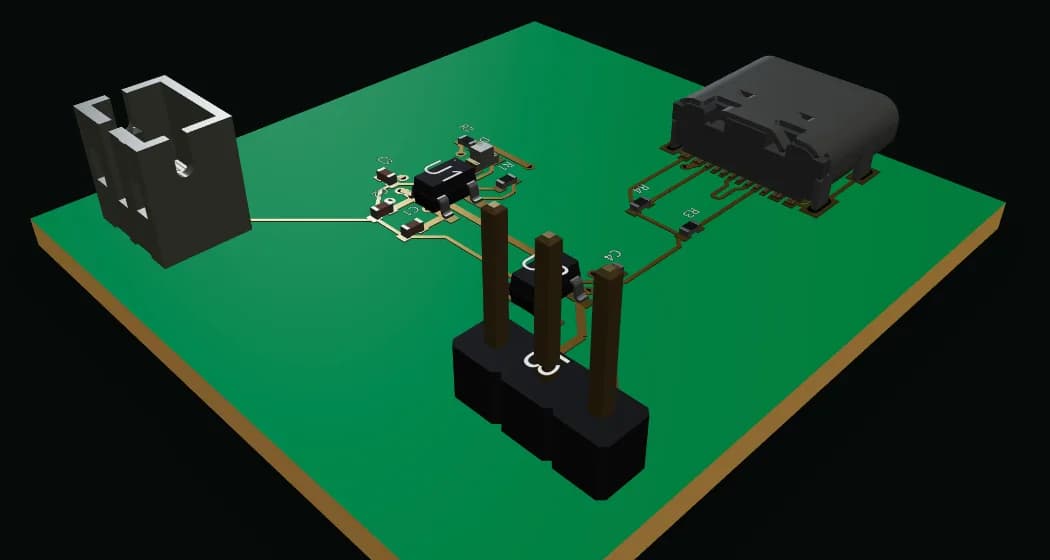
Upload the zip to a PCB manufacturer and pick the options. The standard ones suit most boards: FR-4, 1.6 mm thick, 1 oz copper, HASL or ENIG finish, green solder mask. Budget prototype services usually make a minimum of five boards. For assembly, the same services can solder the parts from your BOM and pick-and-place file, or you solder them yourself, smallest parts first.
The first power-up
- Inspect the board under good light for solder bridges, especially on fine-pitch chips.
- With a multimeter, check that no supply rail is shorted to ground.
- Power it from a bench supply with a low current limit, not straight from a battery or adapter.
- Measure each rail before you plug in modules or programme the microcontroller.
Making a PCB at home
Simple boards can be made at home. Transfer the copper layout onto copper-clad board, with laser-printer toner ironed on or a photoresist film, etch away the bare copper in ferric chloride or a similar etchant, and drill the holes. It works for single-sided and simple double-sided boards with wide traces. You get no solder mask, no silkscreen and no plated holes, and the etchant stains, corrodes and must be disposed of properly. Ordered prototypes are now cheap and fast enough that most people etch only when they need a board the same day.
Common questions
- How do I make my own PCB?
- Draw the circuit as a schematic, assign a footprint to each part, lay out and route the board, run a design-rule check, then export Gerber and drill files and upload them to a PCB manufacturer. The design tools can be free (KiCad on the desktop, or PCBEditor in a browser); the boards are made by the fab and shipped to you.
- Can I make a PCB at home?
- Yes, for simple single- or double-sided boards: print the layout onto copper-clad board with a toner-transfer or photoresist method, etch away the unwanted copper with ferric chloride or a similar etchant, then drill the holes. It is slower and less precise than ordering, has no solder mask or plated holes, and the etchant needs careful handling and disposal, so most people order prototypes instead.
- What files does a PCB manufacturer need?
- For bare boards: the Gerber files (one per layer: copper, solder mask, silkscreen, paste, outline) and the Excellon drill files, usually in one zip. For assembly as well, a bill of materials (BOM) and a pick-and-place (CPL) file giving each part's position and rotation.
- How many layers does my PCB need?
- Two layers are enough for most hobby and small product boards, including microcontroller boards with USB. Four layers help with dense parts such as fine-pitch QFN or BGA chips, high-speed signals and boards that need a solid ground plane under every signal.
- What software do I need to design a PCB?
- Any PCB design (EDA) tool: KiCad is free and runs on the desktop; PCBEditor runs in the browser and can also generate a first draft from a description. Both export the Gerber, drill and assembly files a fab needs.
- Can AI design a PCB for me?
- It can do most of the drafting: choosing parts, drawing the schematic, placing and routing. In our test of six boards, five came out routed with zero design-rule errors, but four of those still had a mistake only a datasheet review found. Use it for the first draft, then check it as you would your own work.
Make your first board
Open the editor with a beginner board already described: an ATtiny85 with two LEDs, a button and a programming header. Change anything before you send it. Drawing by hand works without an account; the AI and saving need a free one.
Open the editor with this example→Sources
- PCBEditor example boards, generated on pcbeditor.com on 17 October 2026; prompts, exports and the pin-by-pin review are on the AI PCB design page.
- IPC-2221B, Generic Standard on Printed Board Design: conductor width and spacing.
- IPC-7351B, Generic Requirements for Surface Mount Design and Land Pattern Standard: footprints and courtyards.
- Ucamco, The Gerber Layer Format Specification (RS-274X and X2).