MCP servers for PCB design, compared
You can connect Claude, ChatGPT, Gemini or Cursor to circuit-board tools in four ways today: a hosted server that designs whole boards (PCBEditor), community servers that operate KiCad on your machine, community servers that drive Altium Designer while Altium’s own are still on a waitlist, and Flux’s hosted server, which hands your requests to Flux’s own AI agent. A few smaller hosted design servers exist too. Here is what each lets an AI do, from each project’s own documentation.
PCBEditor makes this page and one of the servers on it. Every statement about another product comes from that product’s own site or repository, checked on 20 October 2026 and listed under Sources. Where a source does not say, the table says “not documented” rather than guess. We have not installed or benchmarked the other servers.
Short answer
- A complete board from a description, free to start: PCBEditor’s hosted MCP server. One call returns a placed, autorouted, design-rule-checked board, with edits, KiCad round trips and fab export after it, and nothing to install. HeyPCB and EasyGerber also run hosted design servers; see Other servers.
- An AI operating KiCad, offline, on your own files: KiCAD-MCP-Server (MIT), or Konnect on KiCad 10’s IPC API.
- Altium Designer: community servers such as eda-agent, on Windows with Altium installed. Altium’s own MCP servers are announced, not yet available.
- Already designing in Flux: Flux’s own hosted MCP server, which passes tasks to Flux’s AI agent inside your project. It needs a paid Flux plan after a two-week trial.
The comparison table
Checked 20 October 2026. On a phone, the table scrolls sideways.
| PCBEditor MCP server | KiCad MCP servers | Altium | Flux | |
|---|---|---|---|---|
| MCP server | Official, hosted at https://api.robodib.com/mcp. Also OpenAPI/REST and an A2A agent card. | Community projects, open source, run on your machine. KiCad itself ships no MCP server or AI feature. | Official servers for Altium 365 and Altium Designer are listed as “Coming Soon” (waitlist, early access). Community servers drive Altium Designer today. | Official, hosted at app.flux.ai/mcp. Your AI tool hands tasks to Flux’s own AI agent. |
| What the AI can do end to end | One call (design_board) returns a complete board: parts, schematic, placement, routing and a design-rule check. Then edit, route, review and export by instruction. | Operate KiCad one step at a time: symbols, wires, footprints, tracks, checks, exports. No one-call board from a description is documented. | Community servers operate a live Altium Designer session (eda-agent lists about 450 tools). No one-call board from a description is documented. | Flux’s agent edits your cloud project: components, automatic placement, auto-routing. Flux’s docs warn that one request chaining schematic, layout, routing and export “will be done poorly, if at all.” |
| Parts with verified pinouts | get_part and search_parts answer from a verified library with pin maps. A chip with no verified pin map is not wired from a guess: the design stops and asks. | Your KiCad libraries. KiCAD-MCP-Server searches JLCPCB’s catalogue and, with credentials, Digi-Key. | Your Altium libraries and Workspace components. Not exposed over an official MCP server yet. | Flux’s parts library. How pin maps are verified is not documented. |
| Autorouting | Built in: Sadie, PCBEditor’s Rust router (route_board), plus routing inside design_board and edit_board. | KiCad has no full-board autorouter; the servers call Freerouting, which needs Java or Docker/Podman. | Altium Designer has ActiveRoute and the Situs autorouter. No community server documents a routing tool for them. | Auto-Layout routes a placed board; “ideal for simple to medium-complexity boards”, first results in up to 30 minutes, full convergence in 10 to 24 hours. |
| Design-rule check | run_drc returns errors and warnings with locations; review_board adds a design review. Export is refused while DRC errors are unaccepted. | KiCad’s own DRC and ERC (run_drc, run_erc, or kicad-cli). | Altium’s DRC in the editor. Community: altium-mcp lists “Run DRC” as a to-do; eda-agent shows DRC in an example prompt, not as a documented tool. | DRC runs in real time in the editor; the agent can run ERC and DRC and explain the results. |
| Fab export formats | Gerber X2, Excellon drill, BOM, pick-and-place (CPL), IPC-356, IPC-2581, ODB++, assembly and fabrication PDFs, STEP, KiCad. | KiCAD-MCP-Server: Gerber, drill, IPC-2581, ODB++, IPC-D-356, GenCAD, PDF, SVG, DXF, STEP and other 3D formats, BOM, pick-and-place. | Community: altium-mcp runs your output jobs. Altium 365 API (closed beta) downloads the Gerber, ODB++ and IPC-2581 files of an existing release. | Gerber with drill, BOM, pick-and-place, IPC-D-356, EDIF, IPC-2581 on select plans, STL, and STEP of the bare board. |
| KiCad import and export | .kicad_pcb in (import_kicad, up to 8 MB); a KiCad project out (export_board). | Native: the files are KiCad’s own. | Not through MCP. (KiCad imports Altium projects.) | Imports KiCad 4 and 5 component libraries (.lib). KiCad export not documented. |
| Where it runs, what to install | Hosted. Add a URL to your client; nothing to install. Reachable from claude.ai and ChatGPT in a browser. | Your machine. KiCAD-MCP-Server: KiCad 9+, Node.js 18+, Python 3.11+, Java 21+ or Docker for Freerouting; stdio. IPC servers need KiCad 10, most with the board open. | Windows with Altium Designer installed (Altium Designer runs on 64-bit Windows 11). eda-agent: Python 3.11+, stdio. | Hosted; the design lives in Flux’s browser editor. Nothing to install. |
| Sign-in and security | Login required. OAuth 2.1 with PKCE and dynamic client registration, or a personal access token (hashed, revocable, rate-limited). Every call runs as you, on your designs. | No account. A local process with your user’s file access; optional API keys for part search. | Local, under your Altium licence. eda-agent warns it can crash Altium’s script engine and takes keyboard focus; back up first. | Flux account; OAuth sign-in or an API key as a bearer token. Reads are free; agent runs spend ACUs. |
| Cost to start | Free PCBEditor account. | Free: KiCad and the servers are open source (KiCAD-MCP-Server is MIT; Konnect is AGPL with commercial licences). | An Altium licence (30-day free trial). Community servers are free; Altium’s MCP server is not in its developer free tier. | Two-week trial, then a paid plan to edit private projects, export and use AI: from $50 a month ($40 billed annually). |
PCBEditor’s hosted MCP server
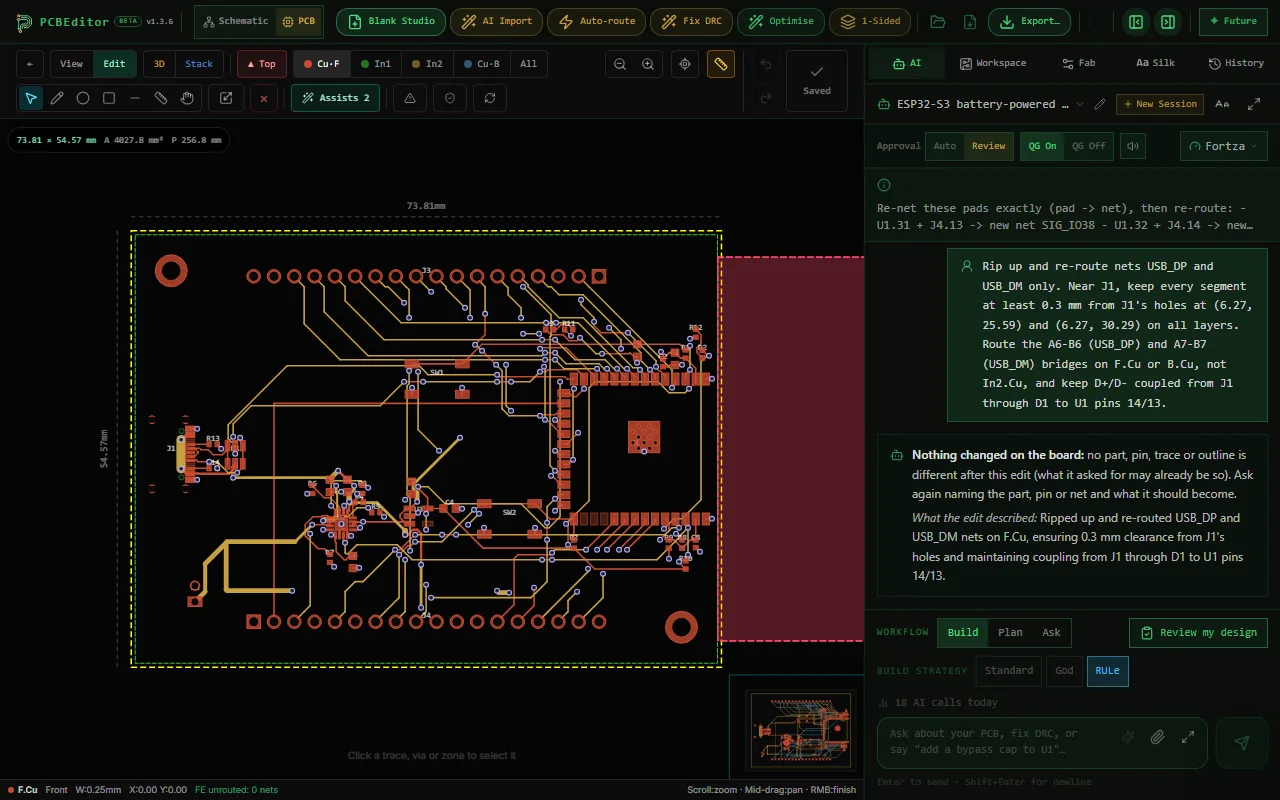
A remote server at https://api.robodib.com/mcp with 16 tools. The one that sets it apart is design_board: a plain-language description goes in, a job comes back, and the AI tool follows it with get_job until the board is done. Inside the job, a deterministic netlist compiler wires the parts from KiCad pin types and datasheet pin tables, Sadie routes the copper, and the design-rule check runs before you see the result. When a decision is yours, such as which part to use when no verified pin map exists, the job pauses with a question.
The rest is the work around a board: edit_board for changes in plain words, route_board, run_drc, review_board, export_board for Gerber, drill, BOM, pick-and-place, IPC-2581, ODB++, STEP and KiCad files, import_kicad to bring a KiCad board in, and parts and inventory tools.
Best for
A first board from a description; working from claude.ai, ChatGPT or any client on any OS; routing and checks you do not want to set up; autorouting or checking a KiCad board and taking it back to KiCad.
Watch out for
Your designs live in a PCBEditor account, not on your disk. It is a closed-source hosted service. A generated board is a draft: in the session in our guide, a substitute regulator that cannot run from the board’s LiPo cell passed the design-rule check. There is no Altium or Eagle import, and no signal-integrity analysis.
KiCad MCP servers
KiCad has no MCP server of its own; its 10.0 release notes mention no AI feature. The servers are community projects that expose KiCad operations as tools, so the AI places parts, draws wires, routes tracks and runs checks one call at a time. The most used is KiCAD-MCP-Server (MIT, about 2,900 GitHub stars on 20 October 2026): schematic and board editing, Freerouting for autorouting, DRC and ERC, a long export list, and JLCPCB and Digi-Key part search. Its README says “AI-generated design suggestions do not replace qualified engineering review.” Its author now develops Konnect, a Rust plugin on KiCad 10’s IPC API, marked beta.
KiCad’s IPC API only works with a running KiCad window and cannot export files, so the IPC-based servers need KiCad open with the board loaded for most PCB tools and fall back to kicad-cli for exports. Full-board autorouting in KiCad goes through an external autorouter, which is why these servers call Freerouting.
Best for
Designs that already live in KiCad and must stay on your machine, including offline and NDA work; an open-source toolchain with no account; scripted edits, checks and exports on existing projects.
Watch out for
Setup on every machine (KiCad, Node.js, Python, and Java or Docker for Freerouting). Local stdio servers suit desktop and terminal clients, not browser apps. The model makes every placement and routing decision, which is slow and varies run to run: one project measured its prompts at 6 to 7 minutes because the model routes one segment per turn.
Altium
Altium’s Developer Center lists an MCP Server for Altium 365 (“Expose your company data to your AI agents in a secure, private and controlled manner”) and an MCP Server for Altium Designer (“Brings the functionality of your local Altium Designer into the LLM of your choice”), both marked Coming Soon with a waitlist. Its pricing page describes the MCP server as early access and not part of the free tier. No endpoint, tool list or sign-in is documented. The Altium 365 API and the Altium Designer SDK are in closed beta.
Today, AI agents reach Altium through community servers on Windows. eda-agent (Apache-2.0) drives a live Altium Designer session with about 450 tools; it is marked experimental, warns that some tools can crash Altium’s script engine, and says it is not affiliated with Altium. altium-mcp (MIT) works through a DelphiScript bridge and lists running DRC as a to-do. Neither documents a tool for Altium’s own routers (ActiveRoute and the Situs autorouter).
Best for
Teams already on Altium: shared, managed component libraries in a Workspace, browser design reviews, co-authoring, MCAD CoDesigner, and high-speed and signal-integrity work. For those jobs Altium is the stronger tool, and an agent is an extra on top of it.
Watch out for
Until Altium’s servers ship, agent access is unofficial, Windows-only and needs a licence. Back up the project before letting a community server edit it.
Flux
Flux documents an official MCP server at https://app.flux.ai/mcp (Streamable HTTP), for Claude, ChatGPT, Codex, Cursor, VS Code and other remote-capable clients. You sign in with your Flux account, or send an API key. The design model is different from the others here: “Every design change is made by the Flux AI agent inside your cloud project.” Your AI tool asks for an outcome and Flux’s agent does the work, adding and placing components and auto-routing. Reads are free; agent runs spend ACUs, Flux’s unit of AI usage.
Flux is candid about scope: its docs say “A single request that chains schematic, layout, routing, and export work will be done poorly, if at all,” and recommend splitting big tasks. Its Auto-Layout router suits simple to medium boards, with first results in up to 30 minutes and full convergence in 10 to 24 hours. Exports cover Gerber with drill, BOM, pick-and-place, IPC-D-356, EDIF, IPC-2581 on select plans, and STEP of the bare board. KiCad export is not documented.
Best for
Teams already designing in Flux, who want a collaborative browser editor with an agent inside and their own AI tool able to hand it work.
Watch out for
Cost: after the two-week trial, editing private projects, exporting and AI need a paid plan, from $50 a month, and agent runs draw on the plan’s ACUs. The tool names are not documented.
Other servers worth knowing
The registry and GitHub hold more PCB servers than fit in one table. These have real use or publish something worth reading. Facts from each project’s own repository or page, checked 20 October 2026.
| Server | What it is |
|---|---|
| HeyPCB | Hosted at api.heypcb.ai/mcp, OAuth or a personal key. Two modes: HeyPCB designs the board (build_board, check_board, export) or your agent places parts and routes with its tools. A local package uploads KiCad projects and saves Gerbers, KiCad, BOM, CPL and STEP. “Tools cost what the same work costs on heypcb.ai.” |
| EasyGerber | Hosted at easygerber.com/api/mcp. An agent can start a guest board without an account; placement, routing and scoring run on EasyGerber’s servers, and guest boards download as a manufacturing ZIP. |
| EasyEDA | No MCP server from EasyEDA itself: its official repository is an API skill package for AI coding tools such as Claude Code, OpenCode and QwenCode. eda-agent (below) has an EasyEDA Pro backend. |
| Konnect | A single Rust binary on KiCad 10’s IPC API, by the KiCAD-MCP-Server author: schematics, boards, Freerouting, Gerber and other exports, part search in a local 2.5-million-part catalogue. Beta; AGPL-3.0 with commercial licences. |
| KiCad MCP Pro | KiCad 10, 387 tools (24 read-only by default), Freerouting, Gerber, IPC-2581 and ODB++ export. Listed in the official MCP registry. MIT. Says it is “not an autonomous manufacturing sign-off authority”. |
| kicad-mcp | Analysis of existing KiCad projects: DRC through kicad-cli, BOM and netlist reading. Gerber export is on its roadmap. No commits since October 2025. |
| KiCad Agentic | A Konnect fork on KiCad 10’s API that lets KiCad judge each change. Its README: board changes land in under a second, while the prompt takes “6 to 7 minutes, because the model routes one segment per turn.” |
| mcp-server-kicad | In maintenance mode: its authors found plain Claude Code got 18 of 18 simple KiCad edits right, and the same model with the plugin 3 of 18. A useful test to run on any server, ours included. |
| eda-agent | Drives a live Altium Designer session (Windows), with KiCad and EasyEDA Pro as extra backends. About 450 tools. Apache-2.0, marked experimental, not affiliated with Altium. |
| altium-mcp | A Claude Desktop extension that talks to Altium Designer through a DelphiScript bridge: components, ERC results, output jobs, symbols and footprints. MIT, third party. |
When to use which
- You want a complete first board from a description, routed and checked.
- You work from claude.ai, ChatGPT, or several machines and operating systems.
- You do not want to install and maintain KiCad, Python and a router.
- You want a KiCad board autorouted or checked, then handed back as KiCad files.
- Your design lives in KiCad and has to stay on your machine, offline if need be.
- You need open source and no account.
- You want an agent to automate edits, checks and exports on an existing project.
- Your company’s libraries, reviews and releases live in Altium.
- Your boards carry high-speed or signal-integrity constraints.
- Several engineers work on the same design every day.
- Your team already designs in Flux and wants its own AI tools to hand work to Flux’s agent.
- You want a collaborative browser editor and a paid plan is fine.
How to judge any PCB MCP server
- Does one call finish a board, or operate an editor? Both are useful; they are different products.
- Who decides the connections? A model choosing every wire, or a compiler working from pin definitions. Ask what happens when a pin map is unknown.
- What routes the copper? A real router, an external one you install, or the model one segment at a time.
- What is checked before you see it, and can export be refused?
- Where do your files live, and which clients can reach it? Local stdio servers suit desktop clients; browser apps need a remote server.
- Does it beat no server? One KiCad project found plain Claude Code did better on simple edits without its plugin. Try your own task both ways.
Common questions
- What is the best MCP server for PCB design?
- It depends on where your design lives. To have an AI assistant produce a complete, routed and design-rule-checked board from a description, free to start and with nothing to install, PCBEditor's hosted server (https://api.robodib.com/mcp) is built for that; HeyPCB and EasyGerber run hosted design servers too. If your team already designs in Flux, Flux's own hosted server hands tasks to its AI agent. To let an assistant operate KiCad on your own machine, on files you already have, use a community KiCad server such as KiCAD-MCP-Server or Konnect. For Altium Designer, community servers such as eda-agent exist; Altium's own MCP servers are listed as coming soon.
- Is there an official KiCad MCP server?
- No. KiCad 10 has no built-in MCP server or AI feature. The KiCad MCP servers are community projects, most of them open source; KiCAD-MCP-Server is the most widely used.
- Does Altium have an MCP server?
- Altium's Developer Center lists an MCP Server for Altium 365 and an MCP Server for Altium Designer as coming soon, with a waitlist, and its pricing page describes the MCP server as early access. No endpoint, tool list or sign-in is documented yet. Community servers such as eda-agent and altium-mcp drive a local Altium Designer install on Windows.
- Does Flux have an MCP server?
- Yes. Flux documents a hosted MCP server at https://app.flux.ai/mcp. Your AI tool signs in with your Flux account (OAuth or an API key) and asks Flux's own AI agent for an outcome; the agent makes every change inside your Flux project. Reads are free, agent runs spend ACUs, and editing private projects, exporting and AI need a paid plan after the two-week trial. Flux recommends splitting big tasks, because one request that chains schematic, layout, routing and export will be done poorly, if at all.
- Can I use ChatGPT or claude.ai with a PCB MCP server?
- Browser apps such as claude.ai and ChatGPT connect to remote MCP servers. PCBEditor's and Flux's servers are remote, so they can use them with an OAuth sign-in. Most KiCad and Altium servers run on your machine over stdio, which suits desktop and terminal clients such as Claude Code, Claude Desktop, Cursor and VS Code.
- Can I use a KiCad MCP server and PCBEditor together?
- Yes. Generate and route a first board with PCBEditor, export it as a KiCad project, and continue in KiCad with or without a KiCad MCP server. Or import a .kicad_pcb into PCBEditor to autoroute or check it, then export it back.
- Is a board from an MCP server ready to order?
- Treat it as a draft. Every project here, PCBEditor included, either says so or should: a design-rule check measures copper and holes, not whether the circuit does what you meant. Check the parts against their datasheets and run your fab's rules before you order.
Sources
Every link below was read on 20 October 2026. Projects change quickly; check the source before you rely on a detail.
- PCBEditor MCP server: tools, endpoint and sign-in
- KiCAD-MCP-Server README
- Konnect README
- KiCad MCP Pro README, compatibility and tool reference
- kicad-mcp README
- KiCad Agentic README
- mcp-server-kicad README (“Why maintenance mode”)
- KiCad 10.0.0 release announcement
- KiCad IPC API for add-on developers
- Altium Developer Center (MCP servers, APIs and SDKs)
- Altium Developer Center pricing
- Altium Designer ActiveRoute (and the Situs autorouter)
- Altium Designer system requirements
- Altium Develop free trial
- Flux MCP server documentation
- Flux agent and chat modes
- Flux Auto-Layout
- Flux data portability (export formats)
- Flux KiCad import
- Flux pricing
- HeyPCB MCP README
- EasyGerber for agents
- EasyEDA API skill
- eda-agent README
- altium-mcp README
- Official MCP registry (searches for kicad, altium, pcb)
Want to see the hosted option on a board of your own? Create a free account, follow the step-by-step guide, and compare it with the server you use today.