Alternatives to Flux: which AI PCB tool for which job
Flux pioneered putting an AI agent inside a browser PCB editor: it plans parts, draws the schematic, offers AI auto-layout and checks as it goes, with real-time collaboration and a free sign-up. People look for alternatives for different reasons: they want the AI to finish the layout, want to stay in KiCad, want their files kept locally, or have a schematic already and only want the board routed. Each of those points to a different tool.
Last reviewed
Short answer
For a description taken all the way to a routed, checked board, free in the browser: PCBEditor. For AI schematic drafting with local files: ProtoFlow. For automated layout of a schematic you already have: Quilter, or DeepPCB for routing alone. For requirement-driven team design: Circuit Mind. To stay in KiCad: an MCP server.
Why people look beyond Flux
Flux is strongest as a collaborative editor where an AI agent works alongside you. The reasons people look elsewhere are usually about where the work ends or where it lives, not about the agent:
- They want to describe a board and get a routed, checked result, not an assistant inside a manual editor.
- Their team’s layout already lives in KiCad or Altium and they don’t want a second home for designs.
- They want design files kept on their own machine.
- They have a verified schematic and only want the layout automated.
The alternatives, by what you need
PCBEditor
Describe a board in plain English; the AI picks parts and intent, then deterministic algorithms build the netlist, place, route and run the design-rule check. Exports Gerber, drill, BOM and pick-and-place, and reads and writes KiCad files. Free, in the browser, including on phones and tablets.
Pick it whenYou want the AI to take you all the way to a routed, checked board rather than help you draw it.
ProtoFlow
Drafts a schematic from a plain-language description, imports real parts with pinouts and footprints, and runs ERC and DRC on the schematic. A desktop app for Mac that keeps design files local, with a free plan; layout happens in KiCad or another tool.
Pick it whenYou want AI help with the schematic and part sourcing, and you will lay out the board yourself.
Quilter
Places and routes a board from your schematic and constraints, returning native Altium, Allegro, Xpedition or KiCad files. Managed cloud or self-hosted; priced per project by unrouted pins.
Pick it whenYou already have a verified schematic and want layout automated, including demanding high-speed work.
Circuit Mind
Turns high-level requirements into schematics and a bill of materials, selecting parts against constraints and producing engineering reports. A team platform with paid tiers.
Pick it whenYou are an engineering team designing from formal requirements.
DeepPCB
Routes a board you have already placed, from KiCad and several other tools, through a web app, plugins or an API, pay as you go. Its site lists DDR nets, length matching, advanced impedance control and RF constraints as outside its scope.
Pick it whenPlacement is done and you only want the routing automated.
KiCad with an MCP server
Lets an AI agent such as Claude or Cursor drive KiCad on your own machine: edits, checks, exports and running an external autorouter. Open source.
Pick it whenYou want to stay in KiCad and add an assistant rather than adopt a new tool.
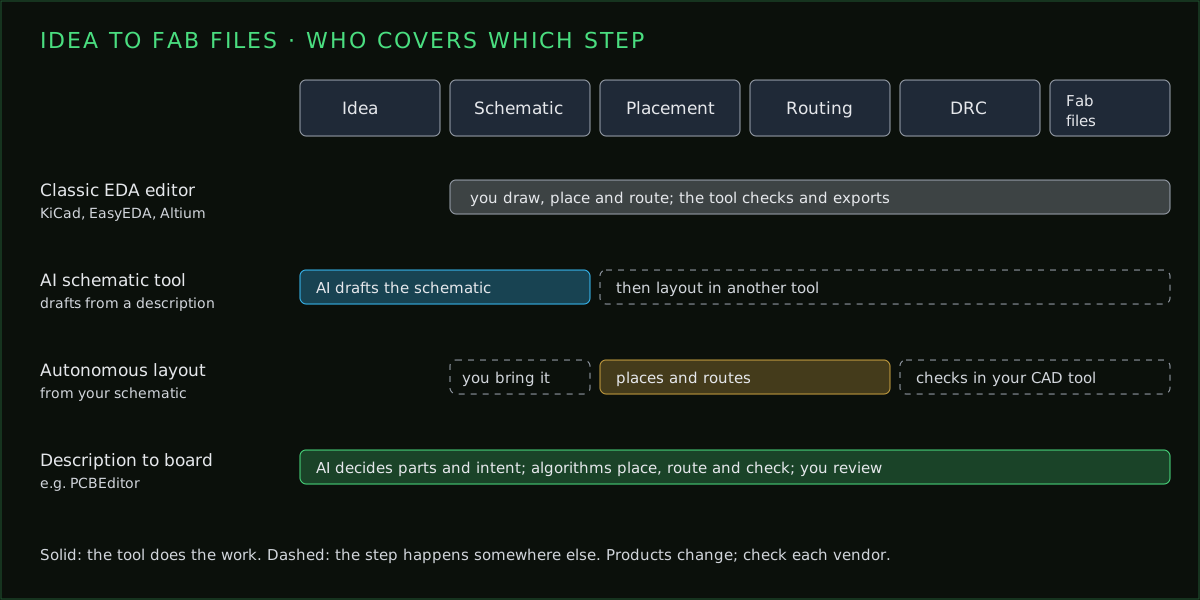
Which steps each kind of tool covers
The tools above sit at different points on the same row of steps. Comparing them is easier once you place each one on it.
Test any of them in half an hour
- Describe the same small board, a regulator, a microcontroller and a connector, in the same words to each tool.
- Check every part number is real and every pinout matches its datasheet.
- Check every pin is on exactly one net.
- Export the Gerbers and open them in a viewer the tool didn’t give you.
- Ask what was left unrouted; a dense board with nothing unrouted deserves a second look.
The longer version of this checklist, with what a good answer looks like for each question, is in how to evaluate AI PCB software.
What PCBEditor does differently
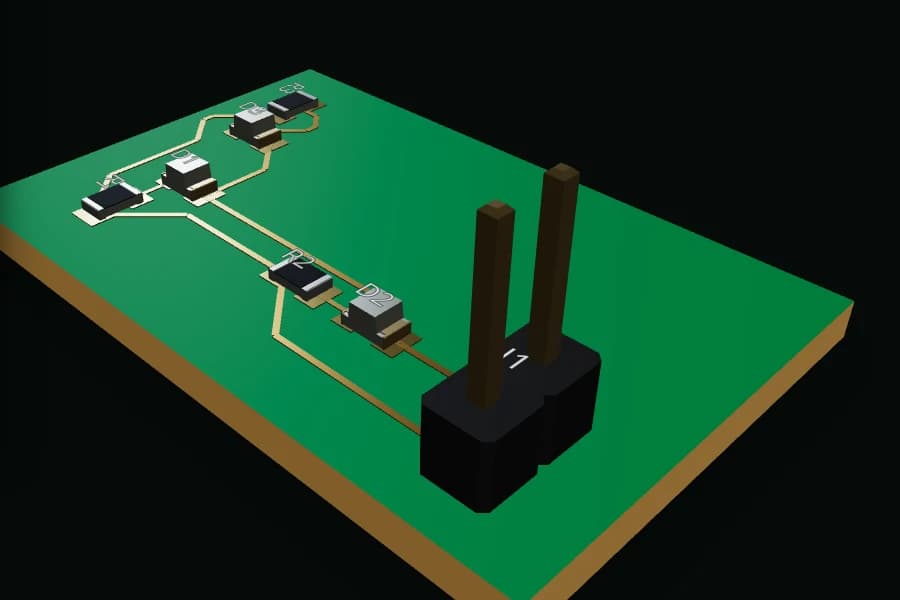
PCBEditor keeps the language model to the decisions it is good at, what the board is for and which parts, and gives everything with a right answer to deterministic code: the connections from the parts’ own pin definitions, placement rules, routing and the design-rule check. The result is a board you can review and order, not a draft you still have to route.
It is not a team collaboration tool, it doesn’t import Altium, Cadence or OrCAD files, and high-speed and RF design isn’t what it is for. If those are what you need, the tools above that target them are the better fit.
Common questions
- What is the best free alternative to Flux?
- It depends on the job. PCBEditor is free and goes from a description to a routed, checked board in the browser. ProtoFlow has a free plan for AI schematic work. EasyEDA and KiCad are free editors without AI generation built in.
- Is there an open-source alternative to Flux?
- KiCad is open source, and MCP servers, also open source, let an AI agent drive it. atopile, an open-source circuits-as-code language, is another route that AI agents can write.
- Flux vs Quilter: what is the difference?
- Flux is a browser editor with an AI agent that helps you design from the schematic up. Quilter takes a schematic and constraints you already have and automates placement and routing, returning native files to your CAD tool.
- Can I move a Flux project to another tool?
- Export it in a format the other tool can read, such as KiCad files or Gerbers. Expect to check footprints and rules after any move between tools.
- Which Flux alternative works on a phone or tablet?
- PCBEditor runs in a mobile browser with nothing to install, including generation, viewing and export.
Give it the same prompt you gave Flux
The fairest test is the same description in both tools. Compare the parts, the schematic, whether every net is routed, and the design-rule report.
Run your prompt in PCBEditor→Sources
From each vendor's own published material, re-checked 7 October 2026. None of it is our own testing of their products.
- Flux: Spring 2026 Updates post on flux.ai and Flux’s 24 September 2026 announcement of AI enclosure design.
- ProtoFlow: protoflow.ai homepage and its AI PCB Design in 2026 guide.
- Quilter: quilter.ai pricing page.
- Circuit Mind: circuitmind.io homepage.
- DeepPCB: deeppcb.ai homepage.
- KiCad MCP servers: the KiCAD-MCP-Server project README.